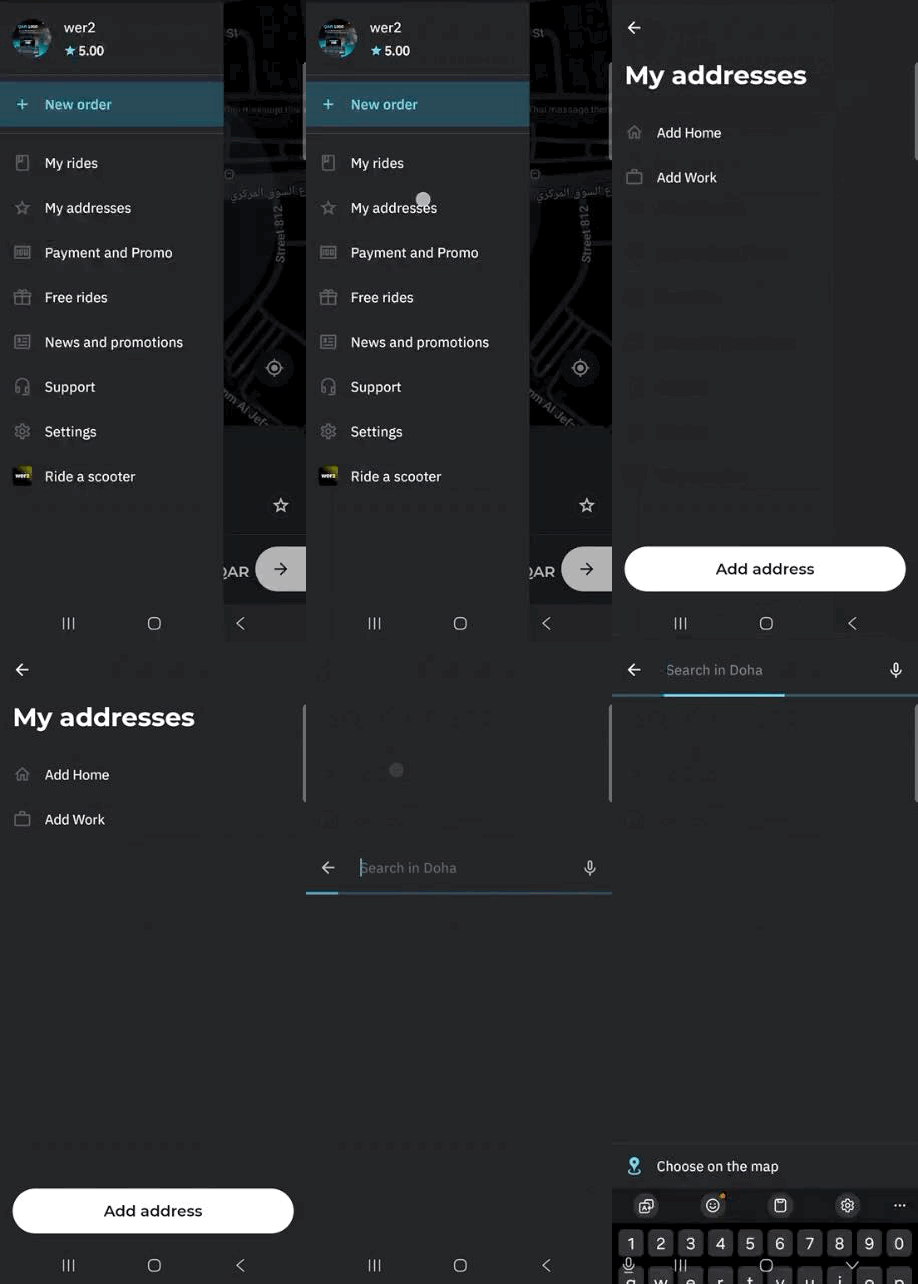
Step 1: Open the Menu
- From the home screen, tap the Menu button (☰).
- Then tap My Addresses.
Step 2: Add or Edit an Address
The My Addresses page will open.
You can edit the predefined Home or Work address and update them to your correct locations.
If you need to save additional addresses that you visit frequently, tap Add Address.
After tapping Add Address:
Type in the address manually
OR
Click “Choose on map” to drag the pin to your preferred location.Enter your preferred address name (for example: Airport).
Add entrance details and any helpful comments for the driver (such as gate number, building name, or landmarks).
Click Save to confirm.
Your address will now be saved and available for quick selection when booking a ride.